

What is Image Upscaling?
Image Upscaling is the process of converting low-resolution images to high-resolution using algorithms. Unlike traditional interpolation methods, AI upscaling models (like ESRGAN) can intelligently reconstruct details while maintaining image quality. For instance, the default SD1.5 model often struggles with large-size image generation. To achieve high-resolution results,we typically generate smaller images first and then use upscaling techniques. This article covers one of many upscaling methods in ComfyUI. In this tutorial, we’ll guide you through:- Downloading and installing upscaling models
- Performing basic image upscaling
- Combining text-to-image workflows with upscaling
Upscaling Workflow
Model Installation
Required ESRGAN models download:Visit OpenModelDB
Visit OpenModelDB to search and download upscaling models (e.g., RealESRGAN)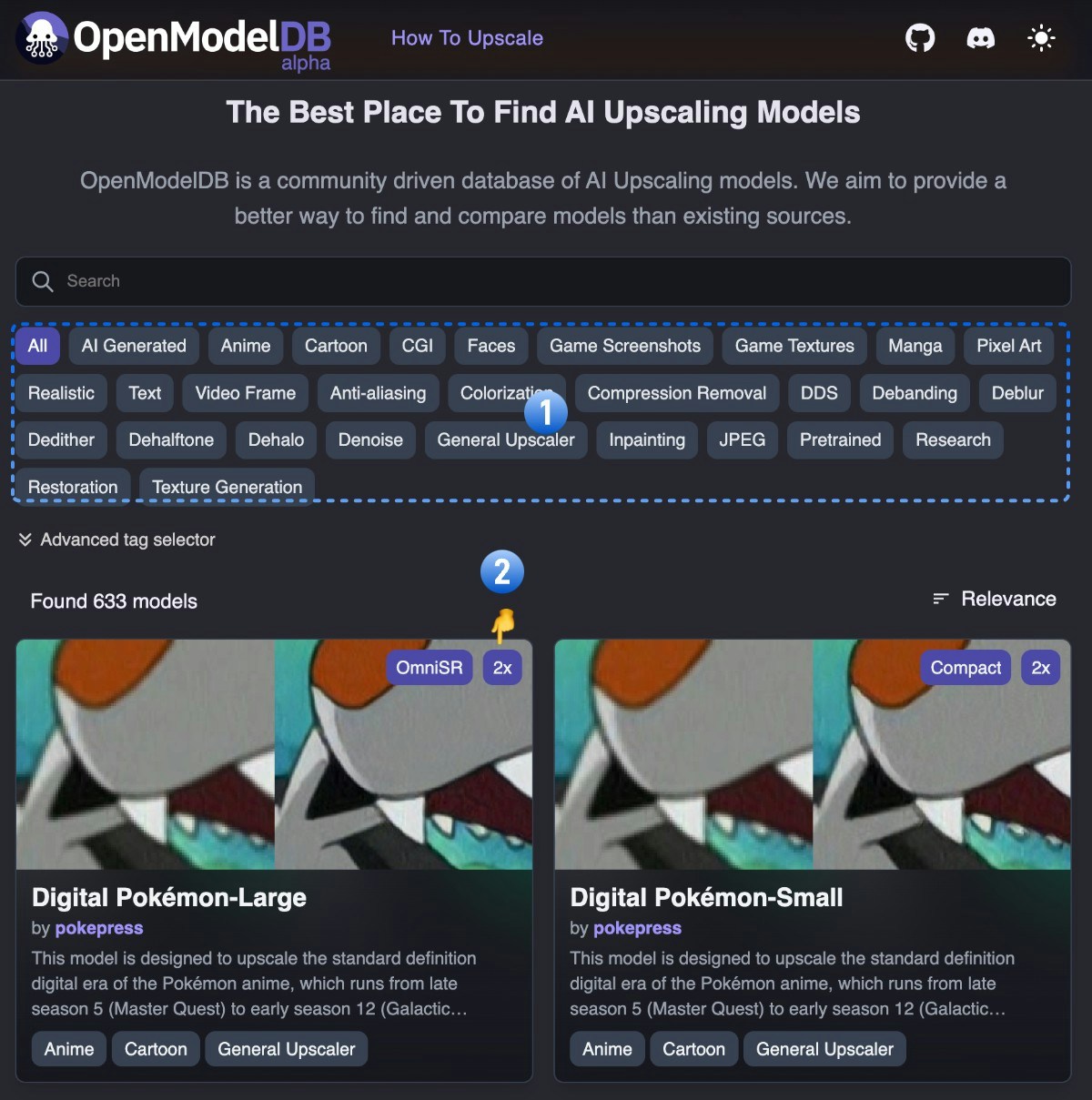
- Filter models by image type using the category selector
- The model’s magnification factor is indicated in the top-right corner (e.g., 2x in the screenshot)
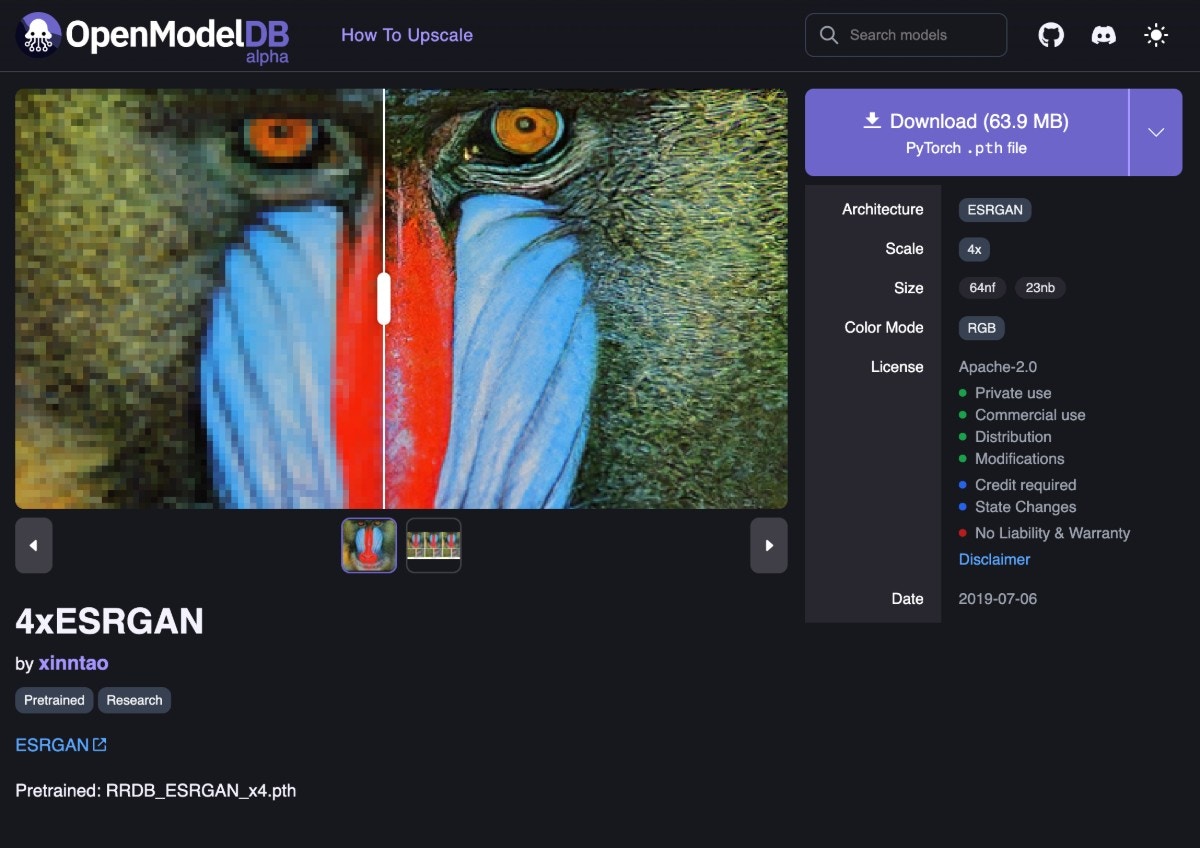
Download button on the model detail page.Workflow and Assets
Download and drag the following image into ComfyUI to load the basic upscaling workflow: Use this image in smaller size as input:

Complete the Workflow Step by Step
Follow the steps in the diagram below to ensure the workflow runs correctly.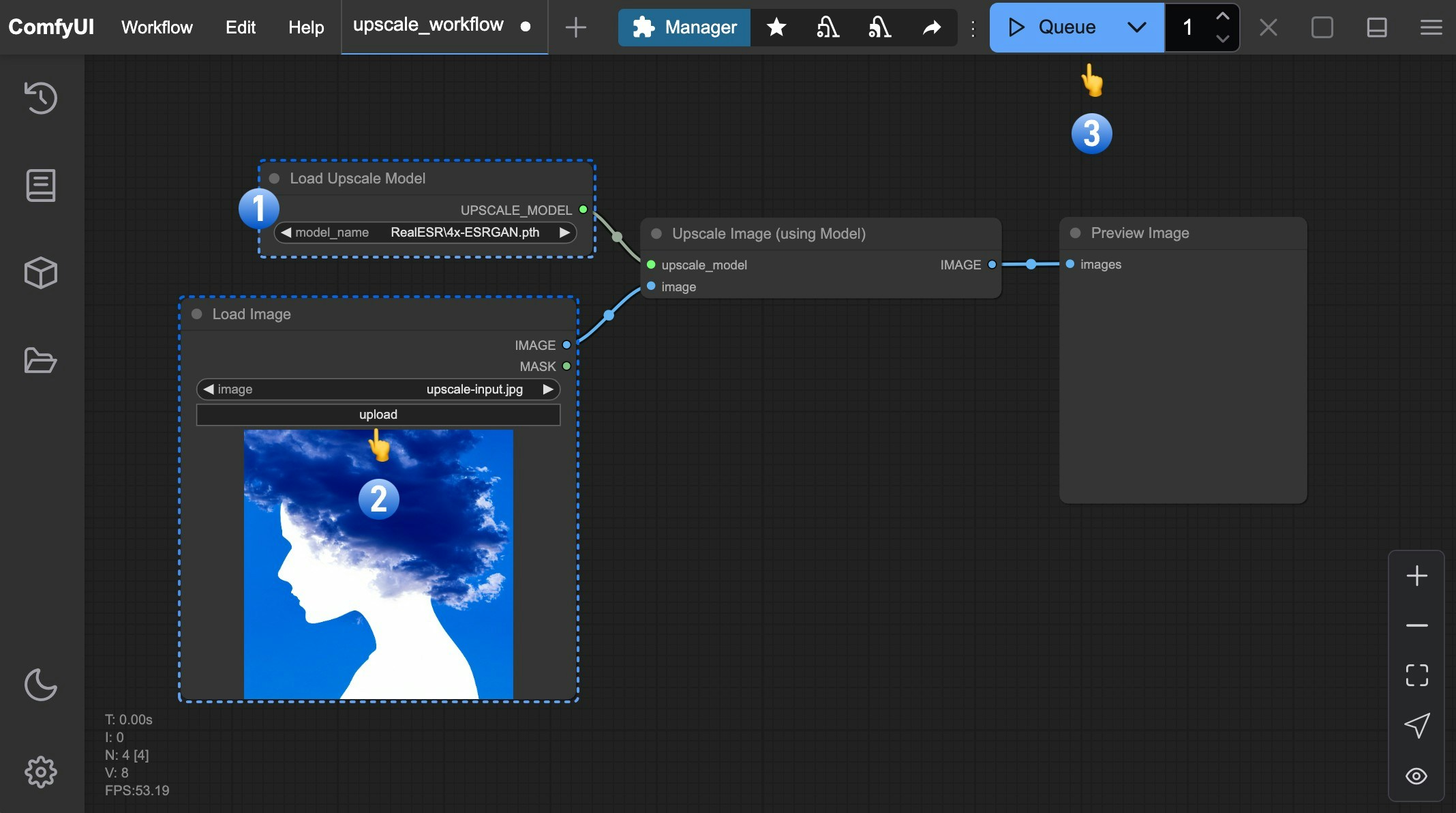
- Ensure
Load Upscale Modelloads4x-ESRGAN.pth - Upload the input image to the
Load Imagenode - Click the
Queuebutton, or use the shortcutCtrl(cmd) + Enterto generate the image
Load Upscale Model and Upscale Image (Using Model) nodes, which receive an image input and upscale it using the selected model.
Text-to-Image Combined Workflow
After mastering basic upscaling, we can combine it with the text-to-image workflow. For text-to-image basics, refer to the text-to-image tutorial. Download and drag this image into ComfyUI to load the combined workflow: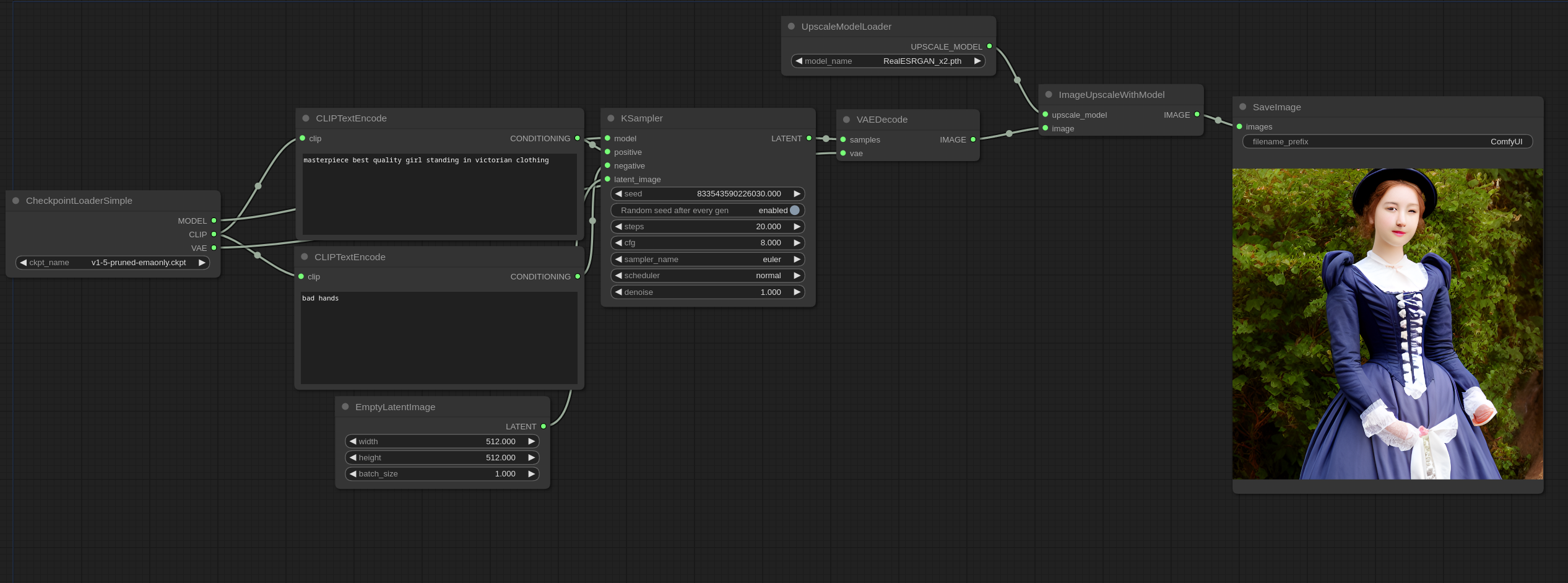
Additional Tips
- Chained Upscaling: Combine multiple upscale nodes (e.g., 2x → 4x) for ultra-high magnification
- Hybrid Workflow: Connect upscale nodes after generation for “generate+enhance” pipelines
- Comparative Testing: Different models perform better on specific image types - test multiple options