What are Custom Nodes ?
Custom nodes are extensions for ComfyUI that add new functionality like advanced image processing, machine learning fine-tuning, color adjustments, and more. These community-developed nodes can significantly expand ComfyUI’s core capabilities.
Before installing custom nodes, it’s important to review them carefully. Since ComfyUI is an open-source project, malicious plugins could potentially exploit custom nodes:
- Only install custom nodes from trusted authors and those commonly used by the community
- Understand the plugin’s functionality before installing and avoid unknown sources to ensure system security
- Avoid installing obscure or suspicious plugins - unverified plugins may pose security risks that could lead to system compromise
- Clone the node code to the
ComfyUI/custom_nodes directory
- Install the required Python dependencies
This guide covers three installation methods. Here’s a comparison of their pros and cons. While ComfyUI Manager isn’t yet part of the core dependencies, it will be in the future. We still provide other installation guides to meet different needs.
| Method | Advantages | Disadvantages |
|---|
| ComfyUI Manager (Recommended) | 1. Automated installation
2. Dependency handling
3. GUI interface | Cannot directly search for nodes not registered in the registry |
| Git Clone | Can install nodes not registered in the registry | 1. Requires Git knowledge
2. Manual dependency handling
3. Installation risks |
| Repository ZIP Download | 1. No Git required
2. Manual control | 1. Manual dependency handling
2. No version control
3. Installation risks |
Method 1: ComfyUI Manager (Recommended)
Click the `Manager` button in ComfyUI interface
Select `Install Custom Nodes`
Browse the custom nodes list
Custom nodes listed in ComfyUI Manager aren’t necessarily safe. Understand their functionality before installing and ensure you only install trusted plugins and those from popular authors to avoid potential device risks.
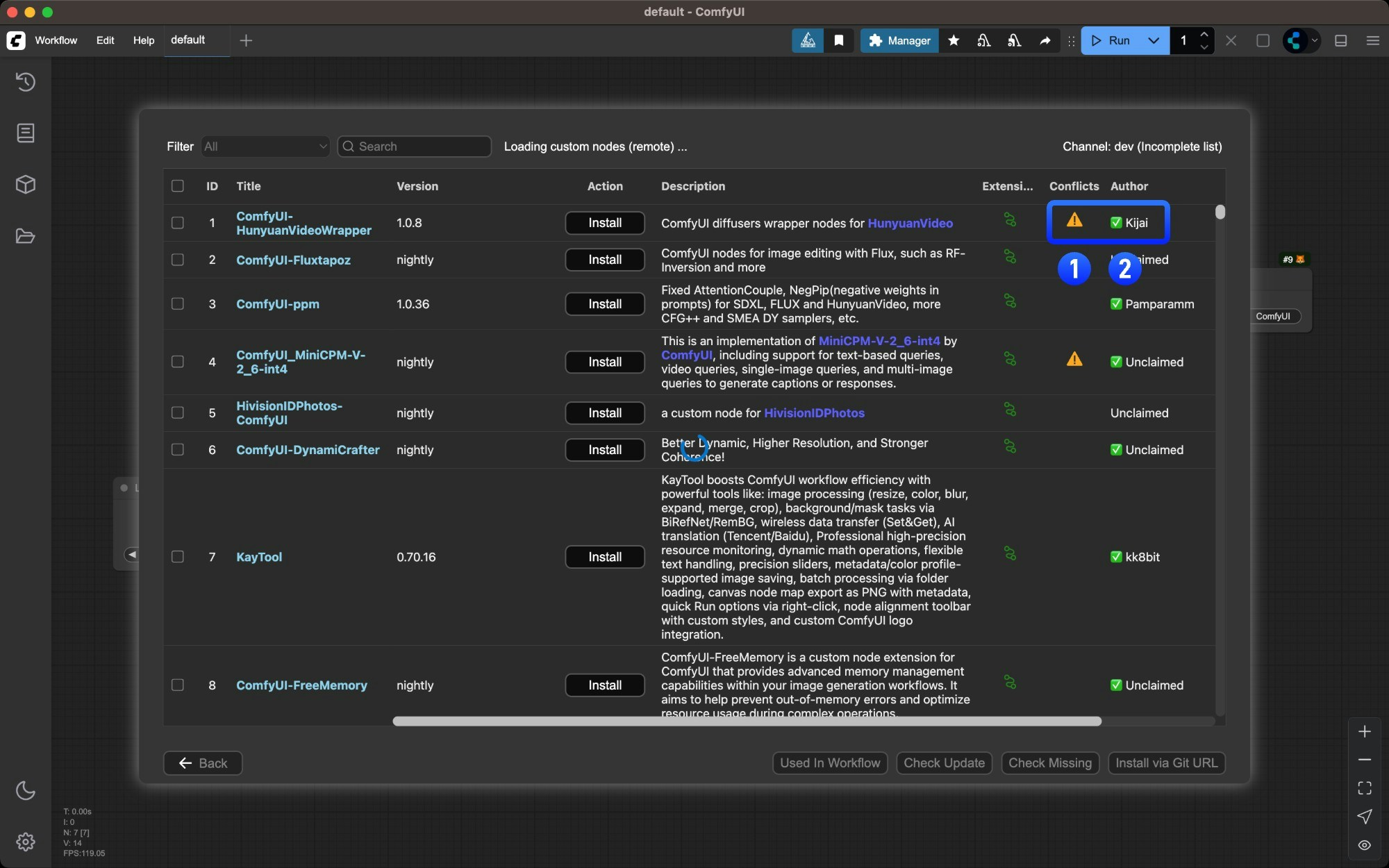
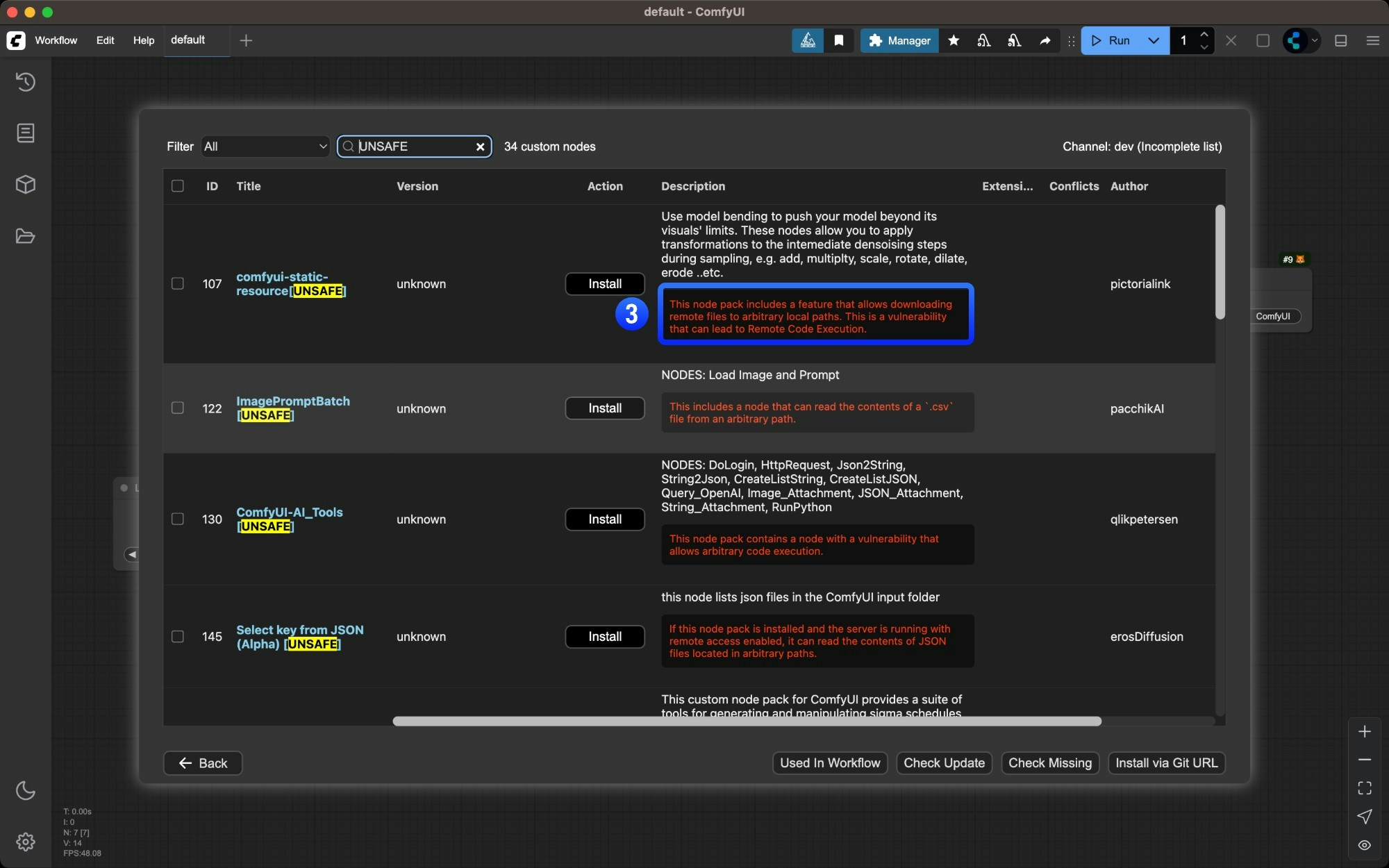
- Nodes marked with
⚠️ may have dependency conflicts with other plugins
- Author names marked with
✅ indicate their activity level on Github
- Potential plugin risks are highlighted in red - ensure plugin safety before installing
Click the `Install` button for the desired node
 Find the node you want to install and click the
 Install button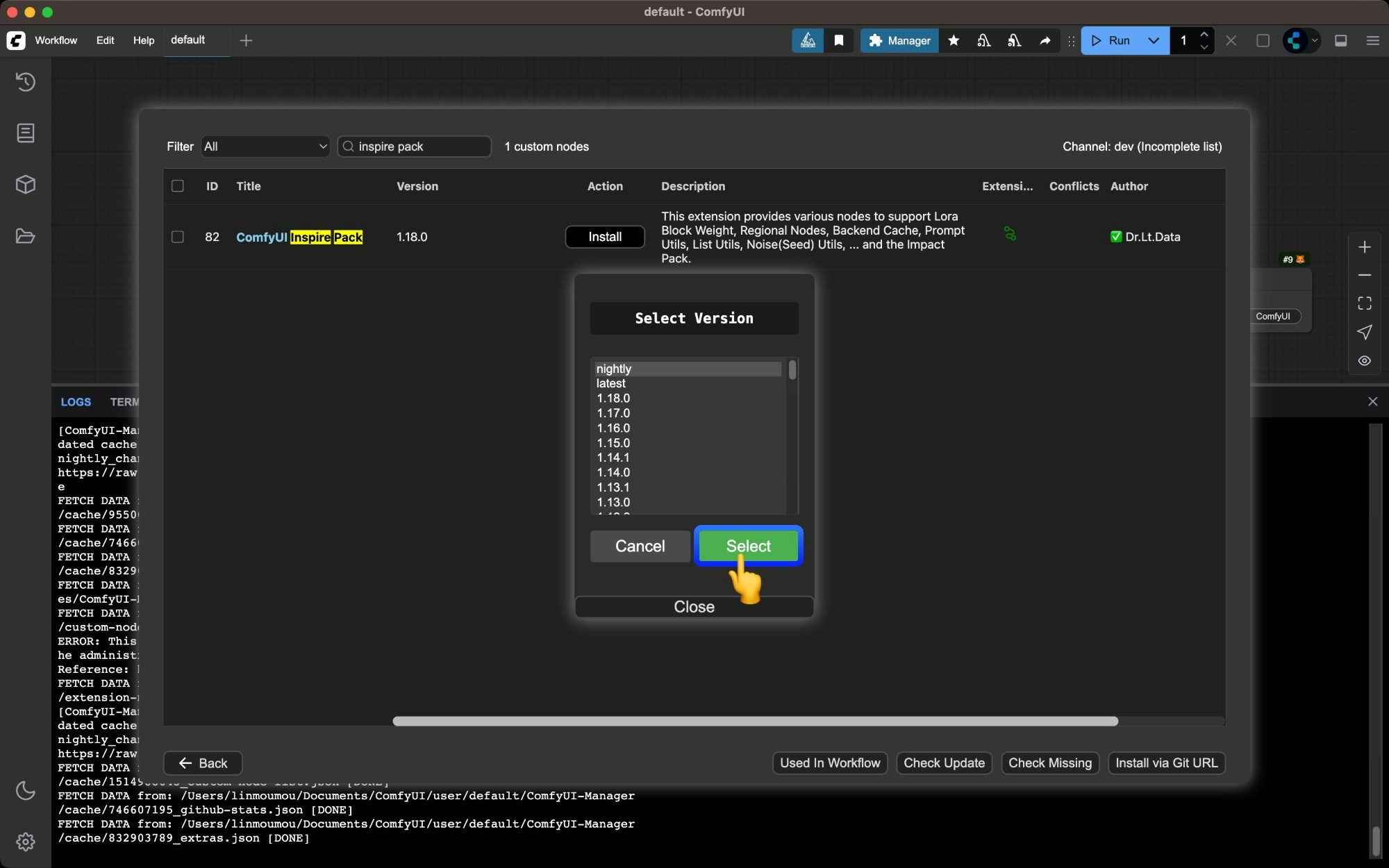
- 在这一步,如果你选择
nightly 版本,这会从 Github 直接下载对应的插件源码最新版本,但同时如果你的 Manager security_level 为 normal 将不允许你直接从 Github 下载源码,因为对应代码没有经过扫描
- 如果你选择了其它版本如
latest 或者带有数字的稳定版本,对应的代码将会从 https://registry.comfy.org/ 进行下载,这意味着对应的代码经过审查,不会触发安全检查
nightly 版本通常是最新的版本,但因为它直接从 github 下载没有经过审查的版本,存在一定的代码风险,如果你一定需要安装nightly版本,请将 Manager 的 security_level 设置为 weak
对应配置文件路径为 ComfyUI/user/default/ComfyUI-Manager/config.ini,但请注意这并不是我们推荐的配置,请只临时使用这个配置
Wait for dependencies to install and restart ComfyUI
Manager will automatically install dependencies and prompt you to restart ComfyUI when complete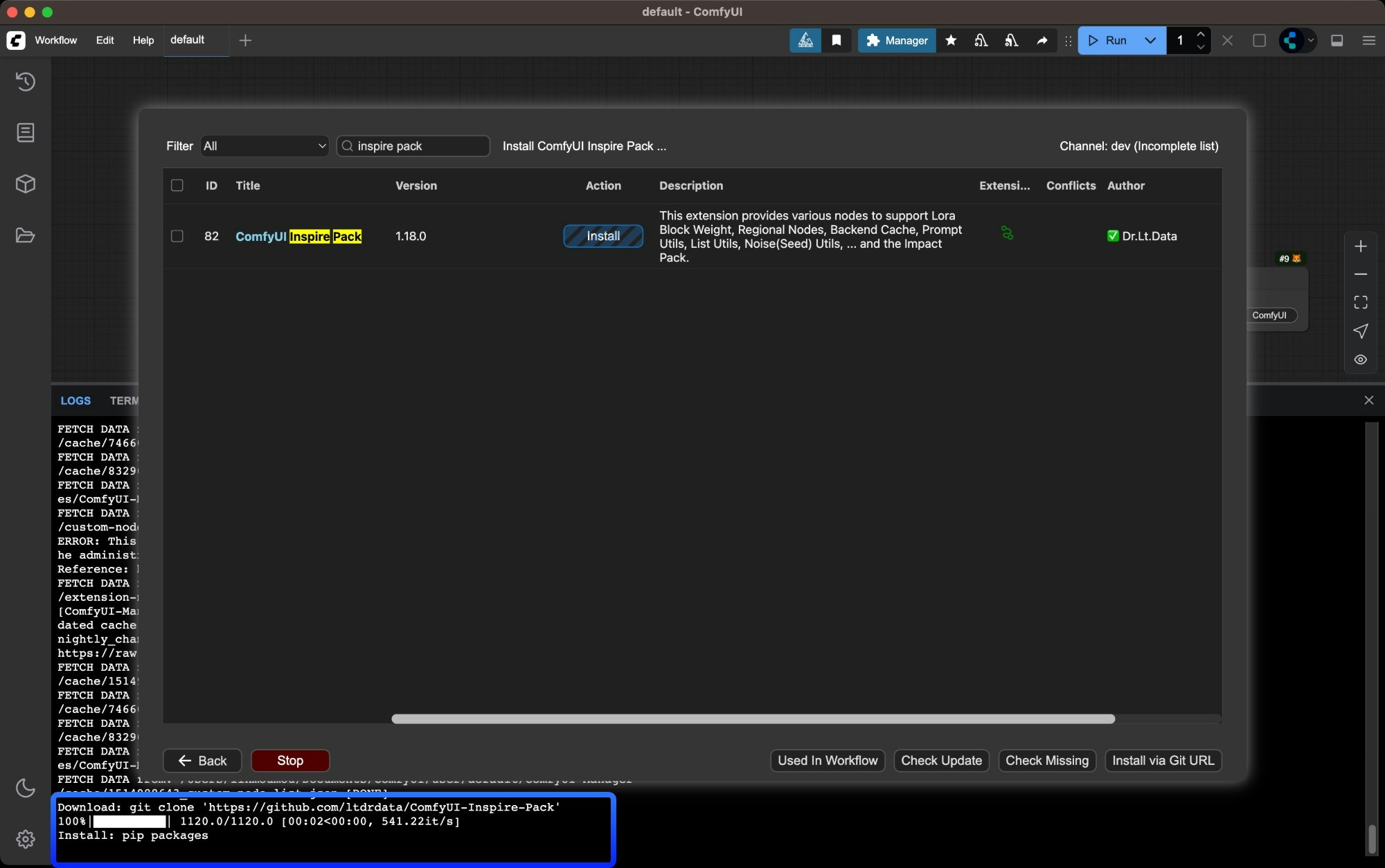
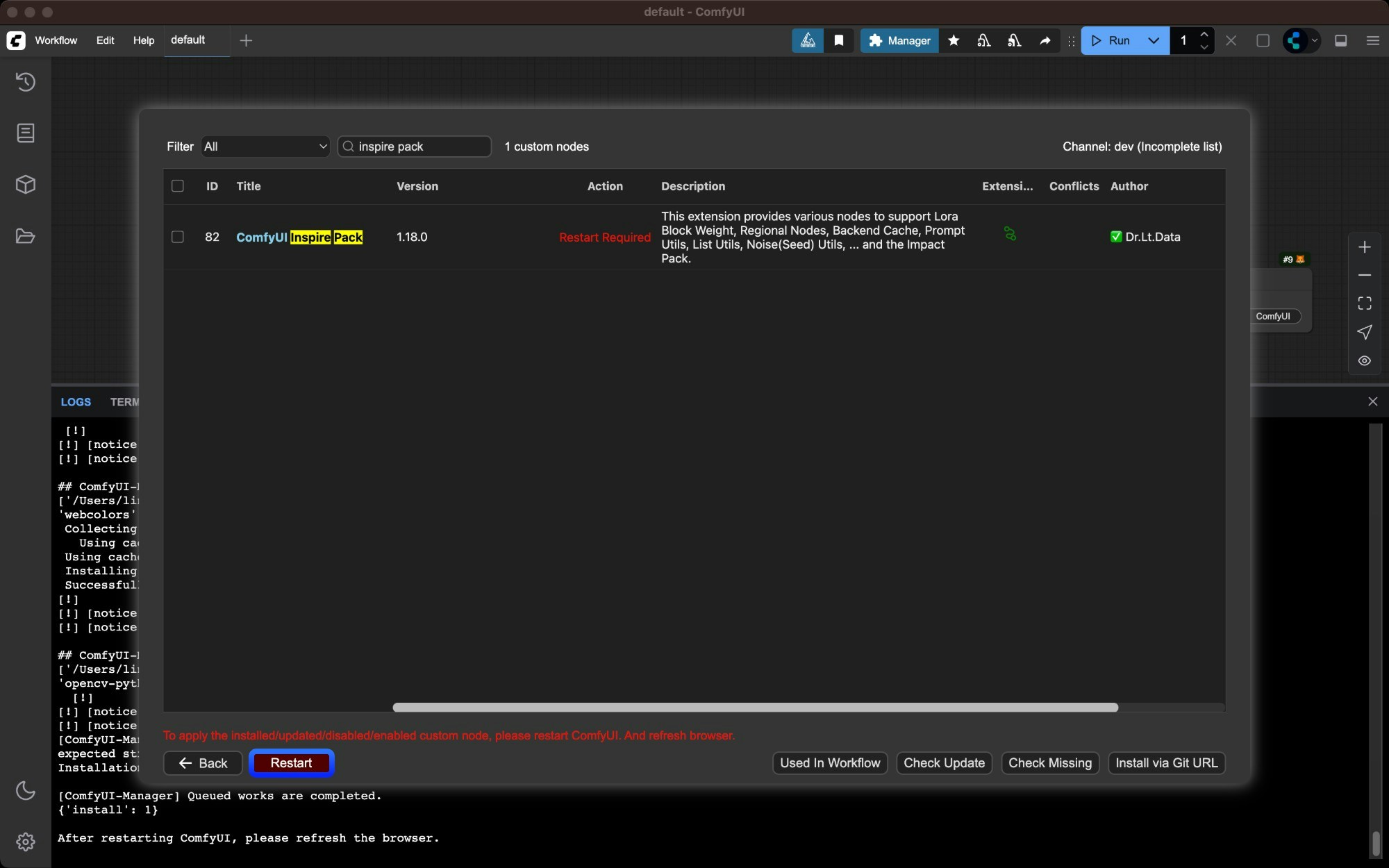
Verify successful installation
Check ComfyUI Manager after restart to confirm the plugin installed successfully and there are no import failed errors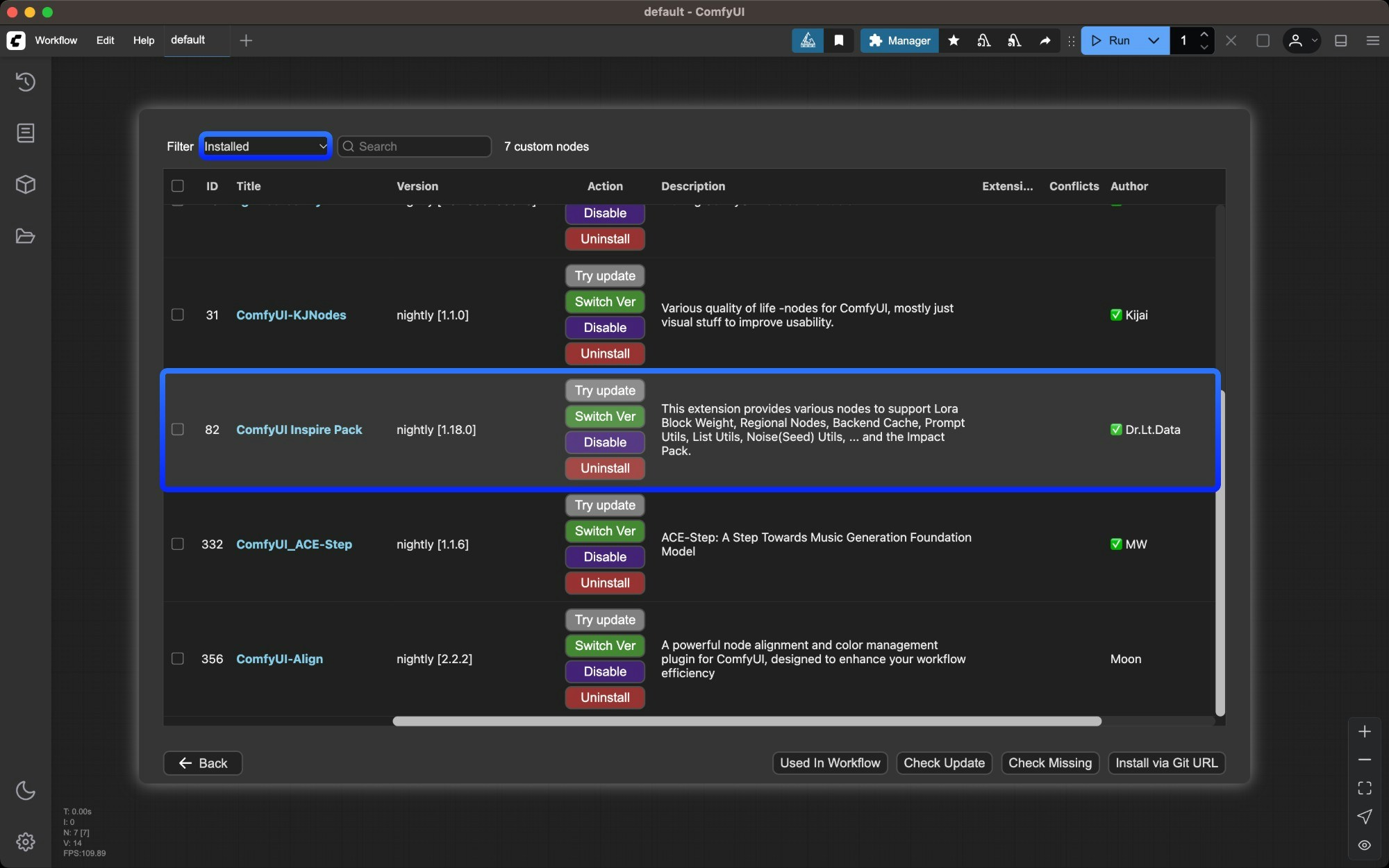
Method 2: Manual Installation Using Git
Suitable for new nodes not found in Manager or when specific versions are needed. Requires Git installed on your system.
Get the repository URL
Click the “Code” button on GitHub and copy the HTTPS link
Navigate to custom_nodes directory
cd /path/to/ComfyUI/custom_nodes
Clone the repository
git clone [repository URL]
Install dependencies
Dependencies must be installed in your ComfyUI environment - be careful not to mix with your system environment to avoid contamination Windows Portable
Manual Install
For Windows portable version, install dependencies in the embedded Python environmentpython_embeded\python.exe -m pip install -r ComfyUI\custom_nodes\[node directory]\requirements.txt
Install dependencies in your ComfyUI environmentcd [node directory]
pip install -r requirements.txt
Restart ComfyUI and refresh browser
Restart ComfyUI and refresh your browser. Check startup logs for any import failed errors
Method 3: ZIP Download Installation
Suitable for users who cannot use Git or Manager
We don’t recommend this installation method as it loses version control capabilities
Click `Code` → `Download ZIP` on GitHub
Click Code → Download ZIP on the GitHub page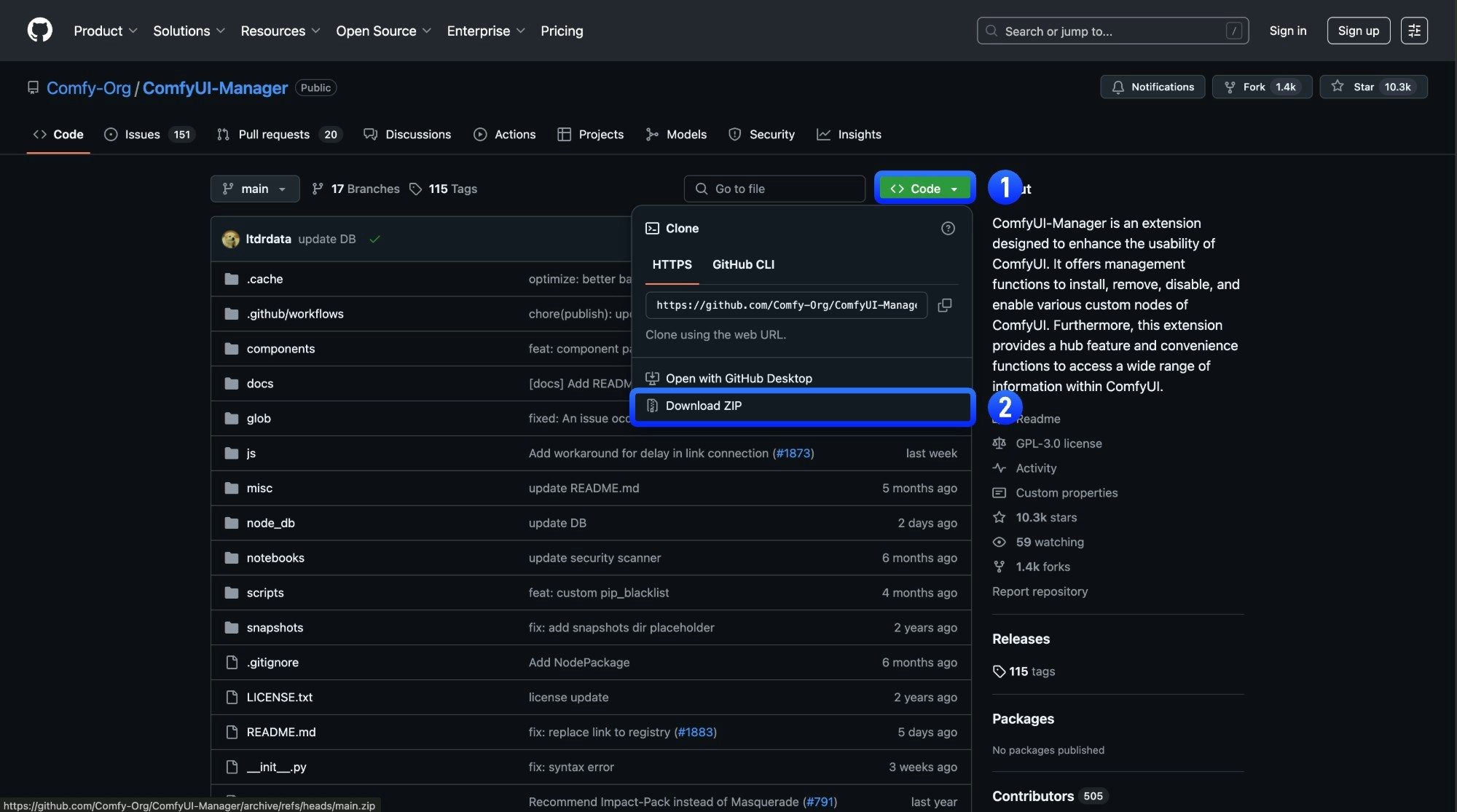
Extract the ZIP file
Extract the downloaded ZIP file
Copy extracted folder to `ComfyUI/custom_nodes/` directory
Copy the extracted folder to ComfyUI/custom_nodes/ directory
Install dependencies manually (same as Git method step 4)
Restart ComfyUI and refresh browser
Verify successful installation
Check ComfyUI Manager after restart to confirm the plugin installed successfully and there are no import failed errors


